

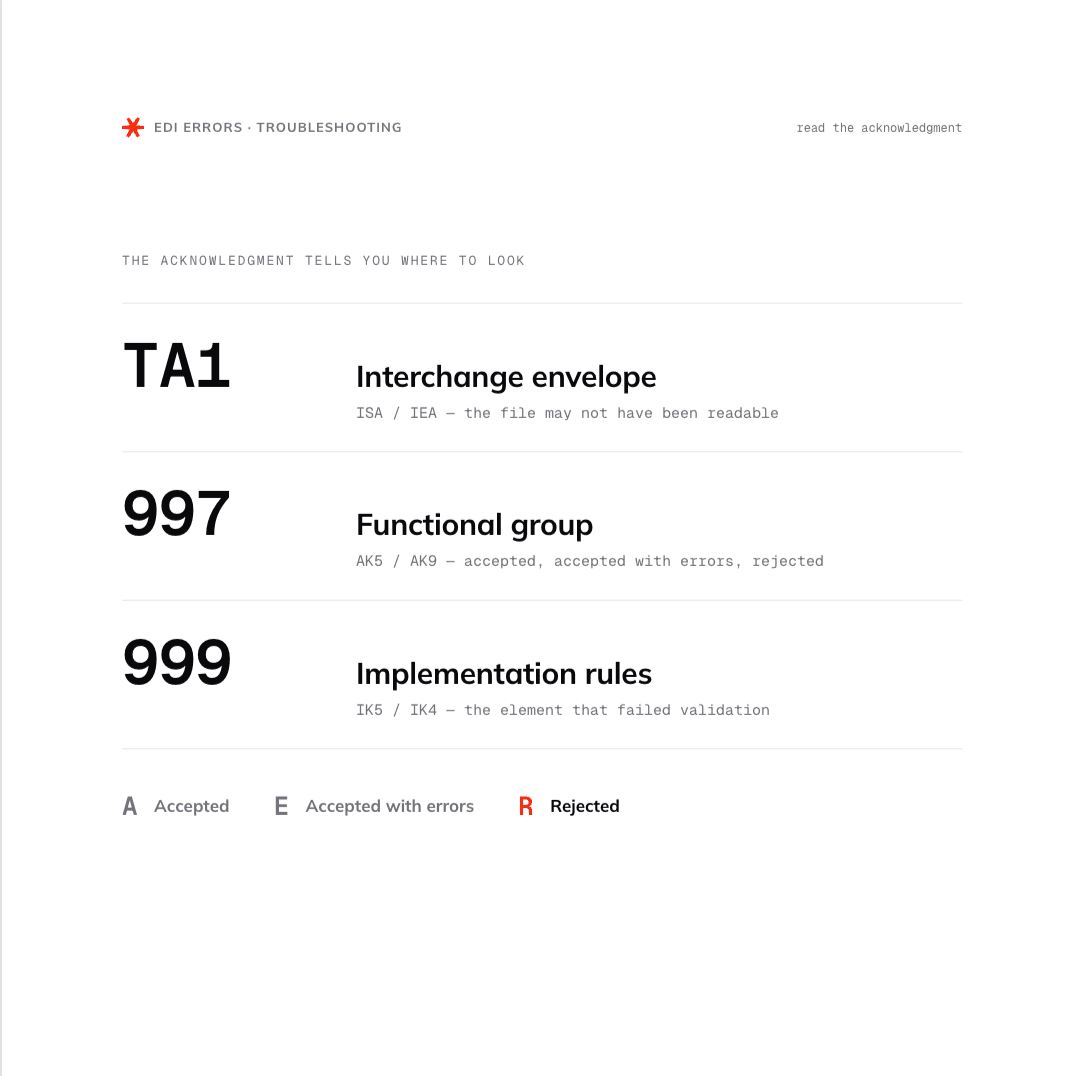
EDI errors are reported through acknowledgment documents: TA1 for envelope-level issues, 997 for transaction and functional group status, and 999 for detailed validation feedback.
Electronic data interchange (EDI) errors can prevent an electronic document from reaching its destination. Errors can sit at any level of the document, and determining the cause can be challenging for new users and for those who haven't encountered many errors to compare to.
It may sound highly technical at first, but most common EDI error codes point to practical problems such as missing fields, invalid values, or issues with trading partner setup. Once you know what the code is telling you, the fix is usually much easier to trace. This article outlines the common codes associated with electronic document exchange issues, what they mean, and the easiest ways to fix them, so your team can learn to address errors faster and get back to focusing on more mission-critical tasks.
How EDI Error Codes Work
EDI error codes are returned through acknowledgment documents during the business document exchange. Acknowledgments tell the sender whether an EDI file was received and whether the transaction could move forward in the recipient’s system.
Where EDI Error Codes Appear
EDI error codes usually appear in acknowledgment documents returned by the receiving system. X12 EDI workflows commonly use three acknowledgment responses, each with a specific purpose.
A TA1 points to a problem with the interchange envelope, which means the file may not have been readable from the start.
A 997 Functional Acknowledgment confirms whether a functional group or transaction set was accepted or rejected.
A 999 Implementation Acknowledgment provides more detail when a document fails automated validation processes against implementation rules.
These acknowledgments help narrow the search before anyone starts manually reviewing every data segment in the file.
How to Read an EDI Rejection Notice
When an EDI rejection notice comes back, start by identifying the acknowledgment type. If the notice is a TA1, check the interchange envelope first. If it’s a 997 or 999, look for the transaction set or functional group response, then find the segment or data element referenced in the error.
The rejection may indicate a missing value, an invalid code, a duplicate control number, or a document format that doesn’t meet trading partner requirements. Reviewing the notice in that order keeps the troubleshooting process focused.
Interchange-Level Error Codes (TA1)
A TA1 acknowledgment reports whether the interchange envelope was accepted, accepted with errors, or rejected. These EDI interchange errors usually happen before the receiving system reviews the business document inside the file. If a TA1 returns an error, check the ISA and IEA segments first.
TA1 code or issue | What it means | How to fix it |
|---|---|---|
A | The interchange was accepted. | No envelope-level correction is needed. |
E | The interchange was accepted, but errors were found. | Review the TA1 note code and correct the envelope value before the next transmission. |
R | The interchange was rejected or suspended. | Fix the envelope issue and resend the EDI file. |
Control number mismatch | The ISA13 and IEA02 control numbers don’t match. | Update the envelope so the header and trailer control numbers match. |
Invalid sender or receiver ID | The trading partner IDs don’t match the receiver’s setup. | Confirm the ISA sender and receiver IDs, qualifiers, and partner profile settings. |
Invalid date, time, or separators | The envelope uses a value or delimiter the receiver can’t process. | Correct the interchange date, time, element separator, component separator, or segment terminator. |
Functional Acknowledgment Error Codes (997 And 999)
Functional acknowledgment errors show whether the receiving system accepted or rejected the EDI transactions inside the interchange. These responses differ from TA1 errors because they look beyond the envelope and evaluate the functional group, transaction set, and implementation rules for a specific business document.
During the exchange of business documents, a 997 Functional Acknowledgment is often used to confirm receipt and report whether a transaction set was accepted or rejected. A 999 Implementation Acknowledgment provides more detailed validation feedback when the recipient’s EDI software checks the document against required implementation rules.
AK5 / IK5 Transaction Set Acknowledgment Codes
A trading partner's EDI software will send back AK5 and IK5 codes to report the status of a transaction set. In a 997, this appears as AK5. In a 999, the equivalent response appears as IK5. These codes help show whether the electronic business document passed validation.
AK5 / IK5 code | What it means | How to fix it |
|---|---|---|
A | Accepted. | No correction is needed for this transaction set. |
E | Accepted with errors. | Review the referenced segment or data element, correct the warning, and confirm whether the trading partner requires resubmission. |
R | Rejected. | Find the referenced error, correct the transaction set, and resend the document. |
M | Rejected because the message authentication code failed. | Confirm authentication settings with the trading partner before resubmitting. |
W | Rejected because validity assurance failed. | Review security or validation settings, then resend the corrected EDI document. |
AK9 Group Response Codes and IK4 Data Element Errors
AK9 codes report whether the full functional group was accepted, accepted with errors, or rejected. IK4 errors, which appear in 999 acknowledgments, point to a specific element that failed validation during data exchange.
Code or error | What it means | How to fix it |
|---|---|---|
AK9-A | The functional group was accepted. | No group-level correction is needed. |
AK9-E | The group was accepted with errors. | Review the transaction sets marked with errors and confirm whether resubmission is required. |
AK9-R | The functional group was rejected. | Correct the rejected transaction sets or group-level issue, then resend the affected EDI transactions. |
IK4 data element error | A specific data element failed validation. | Check the referenced element for missing data, invalid values, incorrect length, or an unsupported code. |
Segment position reference | The acknowledgment points to where the error occurred. | Use the segment and position details to find the problem in the original EDI file. |
Common EDI Errors By Cause
Not every error code points to the same kind of problem. Some failures come from the EDI document itself, while others come from envelope values, control numbers, or trading partner settings. When the code doesn’t make the cause obvious, grouping the issue by source can help your team decide where to look first.
Segment and Data Element Errors
Segment and data element errors happen when the structure or content inside a purchase order (PO), invoice, or advance ship notice (ASN) doesn’t match the expected EDI format. Common examples include missing required data elements, invalid product codes, incorrect dates, unsupported qualifiers, or values that exceed allowed character limits. These errors often require a mapping review or corrections to the source business data.
Envelope and Control Number Errors
Envelope and control number errors usually involve the ISA, GS, ST, SE, GE, or IEA segments. A duplicated control number, a mismatched header and trailer count, or an incorrect sender and receiver ID can cause the receiving system to reject the file before the business document is processed. These issues are often fixed by correcting EDI system settings or resend logic.
Trading Partner Configuration Errors
Trading partner configuration errors happen when your setup doesn’t match the recipient’s requirements. A partner may reject an otherwise valid document because the version, document format, test indicator, routing value, or required field differs from their expected setup. These errors can be harder to spot because the EDI data may look correct internally, even though it fails the partner’s validation rules.
How to Fix EDI Errors: A Troubleshooting Sequence
When an EDI error appears, start with the highest-level issue and move inward. This keeps teams from wasting time correcting transaction details when the real problem sits in the envelope or partner setup.
Identify the acknowledgment type: Check whether the response is a TA1, 997, or 999.
Review the envelope first: Confirm sender and receiver IDs, control numbers, dates, times, and separators.
Find the transaction or group response: Use AK5, IK5, or AK9 to see whether the transaction set or functional group was accepted, accepted with errors, or rejected.
Locate the referenced segment or element: Use the rejection notice to find the exact segment, position, or element that failed validation.
Correct the source issue: Update the document mapping, source enterprise application, partner profile, or source business data that created the error.
Retest before resubmitting: Test and validate the corrected EDI document before sending it back to the trading partner.
Most issues don’t require manual correction. Many can be fixed by correcting document mapping, source system data, partner profile settings, or validation rules before resubmitting the EDI document, though manual data entry may still be needed in some cases.
Fix EDI Errors Faster With Better Visibility
EDI error codes are easier to resolve when your team can see where and why a document failed. With an API-driven EDI solution built to support modern EDI standards, your team can spend less time chasing failed documents and more time keeping data exchange moving.
Orderful’s API-driven Mosaic platform gives teams real-time visibility into structured electronic exchange across business partners, helping teams monitor transactions, identify validation issues, and correct errors before they disrupt business processes.
EDI Error Codes FAQs
What is a TA1 EDI Error?
A TA1 acknowledgment reports whether an EDI interchange envelope was accepted, accepted with errors, or rejected. TA1 errors point to problems in the ISA or IEA segments, such as mismatched control numbers, invalid sender or receiver IDs, or unsupported date, time, or separator values.
What's the Difference Between a 997 and a 999 Acknowledgment?
A 997 functional acknowledgment confirms whether a transaction set or functional group was accepted or rejected. A 999 implementation acknowledgment provides more detailed validation feedback, checking the document against the trading partner's specific implementation rules rather than just confirming receipt.
What Does an AK5 or IK5 Rejection Code Mean?
AK5 codes (in a 997) and IK5 codes (in a 999) report the status of an individual transaction set: accepted, accepted with errors, or rejected. Common causes include missing data, invalid values, authentication failures, or validity assurance failures that require correcting and resubmitting the document.
What Causes Most EDI Errors?
Most EDI errors fall into three categories: segment and data element errors within the document itself, envelope and control number errors in the ISA, GS, or IEA segments, and trading partner configuration errors where a vendor's setup doesn't match the partner's expected format or rules.
What's the Correct Order to Troubleshoot an EDI Error?
Start by identifying the acknowledgment type (TA1, 997, or 999), then review the envelope, check the transaction or group response code, locate the specific segment or element referenced in the rejection, correct the source issue, and retest before resubmitting the document to the trading partner.
